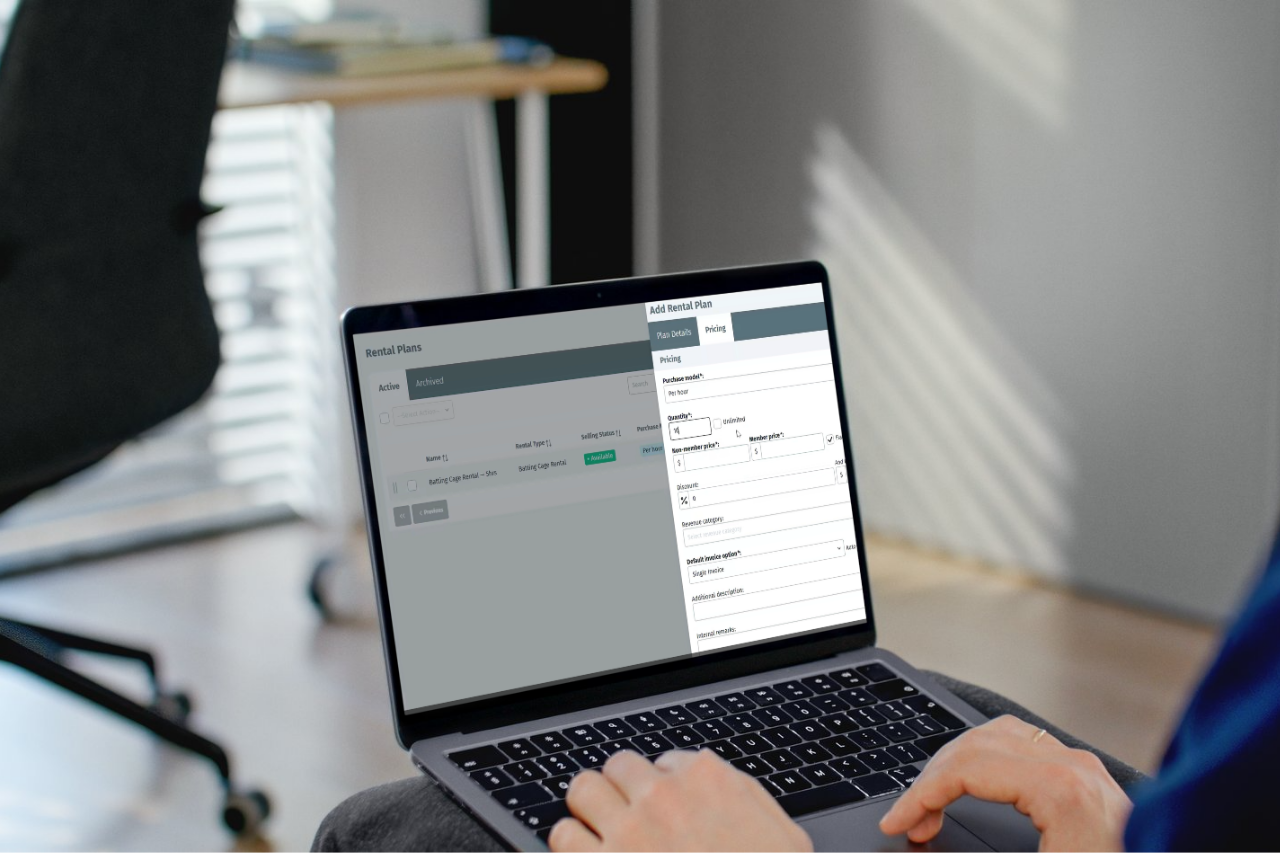
Ever wish you could get paid for your courts, cages, and pitches before anyone even books them? Now you can. Rental Plans is a new EZFacility feature that lets you sell prepaid rental time in the way rental-driven facilities actually want to operate: clients buy a block upfront, and the balance deducts automatically every time they book.
It’s available starting 15 October 2026.
What Are Rental Plans?
A Rental Plan is a multi-pack for rentals. Your clients pre-purchase a set number of hours or bookings, and then use that balance to reserve courts, pitches, rooms, or any other space you offer. There’s no manual tracking, no stamp cards, and no chasing down payments at each visit. The balance adjusts automatically at booking.
Rental Plans are built on top of the rental types you already have in EZFacility, which means you don’t need to recreate anything. If you’re already running rentals, you’re ready to build your first plan.
This is also an optional feature. If your current setup works for you, nothing changes. It’s simply a new tool available when you want it.
Want to see it in action? Watch the full Rental Plans walkthrough from our 6 October webinar.
Per Hour or Per Occurrence: Choosing the Right Model
When you build a Rental Plan, one of the most important decisions is how you want to sell it: per hour or per occurrence.
Per hour means literal hours. A 10-hour plan gives your client any combination of bookings that adds up to 10 hours. Maybe they book two 2-hour slots and six 1-hour slots. It doesn’t matter, as long as the total stays within their balance.
Per occurrence means a number of bookings, regardless of how long each one is. A five-occurrence plan gives the client five bookings, whether each is 30 minutes or three hours.
Here’s a practical tip straight from our training team: if your rentals could vary in length, per hour protects your revenue. With per occurrence, a 30-minute booking and a 3-hour booking cost the client the same thing, which means you could be underselling your space without realising it. Think about how your rentals actually run before you choose a model.
You can also set different pricing for members and non-members, set a plan start date, add an expiration date, and turn on auto-renew so that clients stay on a rolling plan without your team having to take action each cycle.
Selling and Managing Plans
Once a plan is built, your staff can sell it from three places in EZFacility:
- Directly from the Rental Plans list under Administration
- From a client’s profile, using the new Rental Plans tab
- At checkout, when booking a rental on the schedule
All three work the same way, so your reception team can use whichever flow fits the moment. And if a client cancels a booking, the hours or occurrences booked return to their balance automatically, just like Package Plans.
Both staff and clients can see the remaining balance at any time, which cuts down on questions at reception.
Self-Service Purchasing and Booking
Your clients don’t need to come to reception to buy a plan or use one. Through Self-Service, they can browse available Rental Plans, purchase the one they want, and then apply their balance when they book a rental, with no input from your team at the point of sale.
To enable this, make sure “Rental Plans” is turned on under Administration > Self-Service Preferences. You’ll also want to confirm that the relevant rental types have the correct plans linked to them, so clients see exactly the options you intend.
If you want to add terms or a rental agreement to the purchase flow, you can use the self-service acknowledgement setting under Administration > Self-Service > Design to require clients to agree to your terms on first purchase or every purchase.
Tracking Revenue with the New Report
Rental Plans comes with a new financial report. Head to Reports > Financial > Rental Plan Sales, set a date range, and you’ll see every plan sold in that window: the plan name, sale price, outstanding balance, and whether it was sold by a staff member or purchased directly through Self-Service. It’s a clean way to track prepaid rental revenue alongside everything else in your revenue categories.
If You’ve Been Using Package Plans as a Workaround
You’re not alone. A lot of EZFacility clients have been setting up rentals as Package Plans to approximate a prepaid rental experience. It works, but it has real limitations: the plans aren’t tied to actual rental types or rates, online booking is harder to set up cleanly, and tracking the balance takes manual effort.
Rental Plans is the purpose-built version of what you’ve been trying to do. Plans tie directly to your real rental types and resources, clients can buy and book through Self-Service without workarounds, and the balance tracking is handled for you. If you’ve been managing this with Package Plans, it’s worth taking a look at our resource guide to package plans to understand the differences before you migrate.
Ready to Get Started?
Rental Plans goes live on 15 October 2026. You can build your first plan under Administration > Rentals > Rental Plans on that date.
If you have questions in the meantime, our support team is here to help at [email protected].
See Rental Plans in action.
Schedule a free, no-commitment Discovery Call, and we’ll walk you through building a plan, selling it to a client, and watching the balance work in real time.